You can Play and Pause by using either by the Play button beside the track title, or by selecting a track and using the Media Player on the tool bar across the bottom of your browser. Please bear in mind, preview files are audition tracks, you’ll receive the broadcast quality MP3 or WAV file when you purchase and download the track.
Detailed Track Information
Your initial track list view provides summary information for each music track. Clicking on the track "Expand" icon, will enable you to see more detailed track information and also review and listen to any submixes, alternative versions or STEM files of the track.
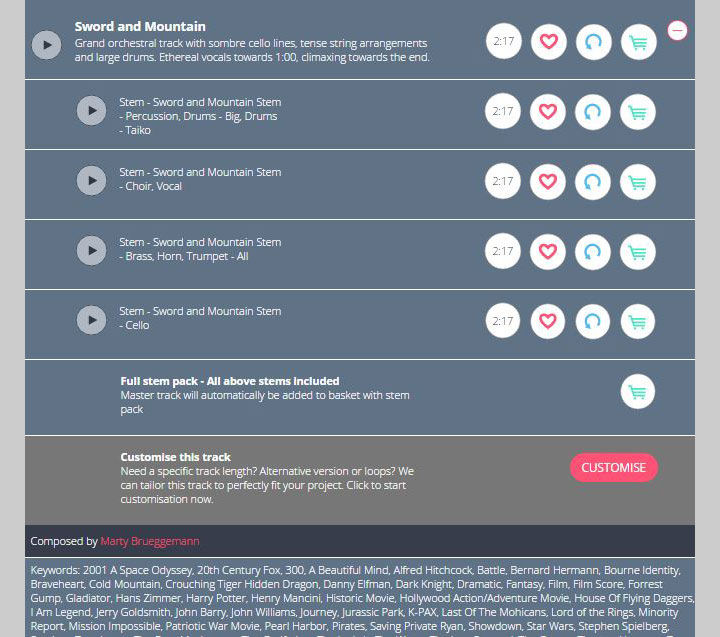
You can use the "Expand" icon to either expand information on a single track, or click "Expand All" to expand information on your entire track selection.
Add Tracks To Playlist Folders
Our playlist folders give you an easy, simple way to store your favorite tracks into different project folders. You can create playlist folders for different clients, projects or styles/genres of track. There is no limitation. Create as many playlist folders as you like and share them with whoever you want to.
- Create multiple playlist folders and privately share them with colleagues and clients.
- Choose to make a playlist public so other users can listen to your track selections.
- Generate and download music cue sheets for your music selections.
You can add tracks to playlist folders by simply clicking on the 'heart' icon  to the right hand side of each track.
More On Using Playlist Folders to the right hand side of each track. Add Tracks To Basket
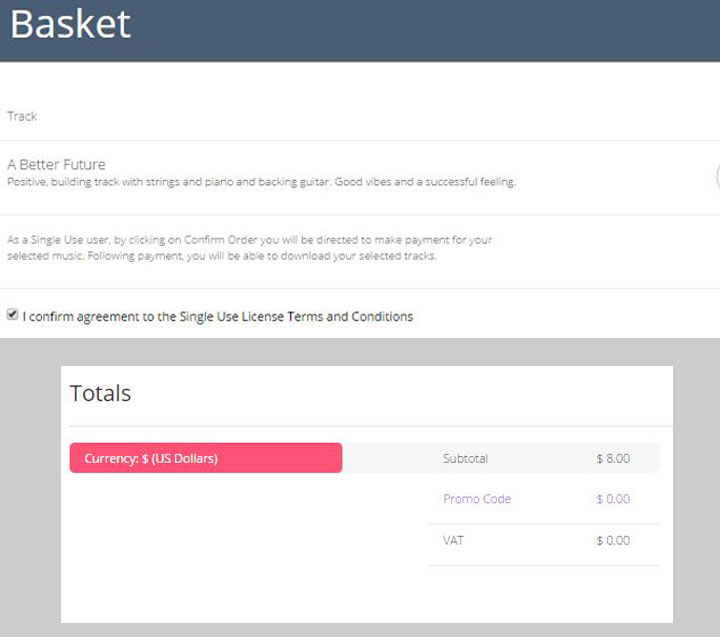
While you browse, add tracks to your Basket so that you can purchase and download your selection at the end of your search. You can add any number of tracks to your Basket. Click on the Basket icon on the toolbar across the bottom of your page to view your entire Basket. When viewing your Basket, you have the opportunity to listen to tracks again and delete any tracks you decide not to use.
You will also be offered the opportunity upon checkout to add STEM Packs to your basket for a small extra cost.
Find out more about STEM files

Pay For Your Music
When you are happy with your selection, click Proceed To Checkout. You can then choose to input your card details or checkout with PayPal. Purchasing music with Cinephonix is safe and secure. All credit card transactions are handled by our secure payment provider Braintree or Paypal. Cinephonix never holds or stores your credit card details without your consent.
Braintree Payment Gateway
Download Your Music
Once you have paid for your tracks, you will be able to download your selection from the ‘Available Downloads’ page by clicking on the download icon
 . You have a choice of downloading
a broadcast quality MP3 file, 48khz.WAV file or both!
. You have a choice of downloading
a broadcast quality MP3 file, 48khz.WAV file or both! Purchase History
Tracks will remain in your 'Available Downloads' folder for 2 weeks from purchase. After this, they will move to your 'Purchase History' folder. You'll never lose your tracks; you can access them on any computer, at any time, wherever you are.
Managing Your Purchase History
Blanket Customers
If you are a Blanket Customer, you can simply download music tracks straight from your Basket. The system will automatically allow you to bypass the payment gateway and proceed to download the tracks.
Search Our Production Music Library
Please share on…